|
Twilight Saga series movie is always welcomed by the people all
over the world. Now, the expecting fourth installment breaking
dawn part I on dvd will be available on Feb 11,2012. This part follows
Bella and Edward as they get married and then learn that Bella has
become pregnant.
For twilight saga movie fans, this is an exciting news. Have you
pre-order this dvd for your collections? Want to appreciate breaking
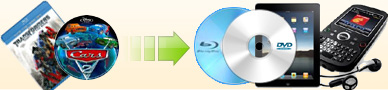
dawn on your iPad, iPhone or smart phone just at the day it comes
out? Surely do, but how about the copy protection? Of course, this
dvd is well protected, but don't worry, Ideal DVD Software has got through the
copy protection in this dvd and can help you
rip twilight to avi
or rip breaking
dawn to iPad, iPhone,
or other smart phone format, so that you can appreciate it anytime
and anywhere.
A. Rip Twilight Saga
Breaking Dawn Part I DVD to iPad, Kindle Fire or
Smart Phone format
| You may just download the latest version 1.0.1 of Ideal DVD to
MP4 Converter and install it. Then
try to rip this dvd. When ripping, ensure your computer is
connected to internet and don't run other decrypters in
the background, because other decrypters can conflict
with it. Then follow the steps below to rip
Twilight Saga Breaking Dawn Part I dvd for your iPad.
1) Launch Ideal DVD to MP4 Converter.
2) Insert DVD "Breaking Dawn" to your DVD-Rom drive.
3) Check the checkbox before the title you want to rip.
4) Choose the audio track and subtitle you like
under the title list box.
5) Choose iPad profile from the "Profile" dropdown
list. If you want to put this dvd on iPhone or other smart phone,
just choose the corresponding profile.
6) Set
the target directory to hold the output file. You may click "Choose"
button beside "Destination" box to set the target directory. Our
program will automatically create an IdealDVD2MP4 folder on your
largest hard drive as the target.
7) Click "Rip" button to begin the ripping. |
 |

|
 $29.97 $29.97 |
After ripping, you
will get a .mp4 file, then you can transfer that file to your
iPad, iphone or smart phone, take it along with you, and you may enjoy it anytime and
anywhere.
If you still can't rip "breaking dawn"
dvd with this version,
that mostly means your DVD is
another edition we haven't met, just keep the DVD in your DVD drive,
click "File"->"Export
ifo files" menu, save the exported file and send the .iba file to
support@idealdvdcopy.com
, we'll analyze it and fix it within one day.
B. Rip Twilight Saga Breaking Dawn Part
I DVD to Avi format
 |
If you want to enjoy this dvd on your protable device which only
supports avi format, like Arhos series, Zen etc, then you need use
our Avi Converter to help you. Download it
and install it, then
follow the steps below to rip it. 1) Launch Ideal DVD to Avi Converter.
2) Insert the original dvd Mission 4 to your dvd drive.
3) Choose a proper title, audio track and subtitle.
4) Choose a proper profile from the "Profile" drop-down list.
There's already a profile for Archos.
5) Click "Start" button to begin ripping.
If you still have any issue to rip this dvd, just click
"File"->"Export ifo Files" to export it from the original dvd
and send it to our support team, we'll help you as soon as possible. ¡¡ |
|
|
$29.97 |
If you need
backup the DVD
Twilight Saga Breaking Dawn Part I, just refer to
the guide
How to copy breaking dawn
part 1?
[Return to Articles] |