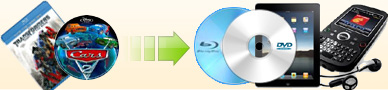
Ideal DVD Software
Provides the best blu-ray DVD Copy software and DVD to iPod, Avi, PSP, iPad  and MP4 Converter Software. All are one time fee and lifetime license.
 

How to convert Avi/WMV/RMVB/RM formats to iPod format?

1. Launch Ideal DVD to iPod Converter.
2. Click the best dvd to ipod ripper which help you convert dvd to iPod format just by one click button, then choose Open avi/WMV file from hard disk to open a .avi, .wmv or rmvb/rm file on your hard drive. (For RMVB and RM format, please first install RealCodec first.)
3. Choose a proper profile.
    If you want to convert multiple avi/wmv/rmvb/rm files to iPod format, you may repeat step 2 to open multiple files.

The best dvd to iPod converter help you rip avi/wmv formats to iPod format

Before ripping, you may click preview avi/wmv file button to preview the source video file. If you want to clear the files in the current file list, just click "Remove All Files" to remove them.

4. Click "Browse" button which is beside the "Target" textbox to choose a proper directory to put the output file. Our program will put it to "My documents\IdealDVD2iPod" by default. Once you specified a directory, our program will remember it and you needn't re-configure it next time unless you uninstall it.

5. Click "Go" button to begin the ripping.

Click here to free download the full function version of DVD to iPod Converter (Full function, 2.51Mb, windows OS) Click here to get the licensed DVD to iPod Converter(Only $29.97, lifetime license)

[ Return to Ideal DVD to iPod Converter]

Ideal Package -55% Off


  $219.8 Now only $99.97

   Includes:
   Ideal Blu-ray Copy
   DVD Copy
   DVD to iPad Converter
   DVD to iPod Converter
   DVD to Avi Converter
   DVD to PSP Converter 

Get ideal package

Related Guides:

How to convert flv to iPod format?

How to convert DVD to iPod format?

How to transfer .mp4 file to iPod?

How to customize iPod profile to get suitable quality?

How to copy DVD to computer hard drive and then playback it?

How to copy DVD to blank DVD?

How to choose a proper copy mode?

How to avoid copying a fake movie?

How to copy DVD from computer hard disk to blank DVD?

How to make multiple copies of a DVD with only reading the original DVD once?

How to copy DVD to ISO file?

How to convert DVD to PSP format and then transfer to PSP?

How to convert avi to PSP?

How to configure PSP profile to get suitable quality and file size?

How to convert dvd to avi format?

How to get Divx Avi format?

How to extract a clip of a DVD to avi format?

How to rip batch DVDs to avi format?

How to customize profile to get suitable avi quality?

Bluray Software

Ideal Bluray Copy new released program of Ideal DVD Software

DVD Software

DVD Copy
DVD to iPod Converter
DVD to iPad Converternew released program of Ideal DVD Software
DVD to Avi Converter
DVD to PSP Converter
DVD to MP4 Converternew released program of Ideal DVD Software
  
Home | DVD Copy | iPod Converter | iPad Converter | PSP Converter | AVI Converter | MP4 Converter | Download | Purchase | Support
Bluray Copy | Mac DVD Copy | Links | Forum | Article
Copyright © copy 2005-2012 Ideal DVD Software, Inc. All Rights Reserved.